
Whether you are setting up a home workstation, upgrading an office computer, building a gaming PC or replacing ageing equipment, understanding computer hardware components helps you make smarter buying decisions. The right hardware improves speed, reliability, comfort and productivity, while the wrong combination can lead to slow performance, compatibility issues and unnecessary replacement costs.
Bonolo Online helps South African customers find practical computer products for everyday use, business productivity, study, entertainment and professional work. From desktops and laptops to monitors, storage, keyboards, mice, headsets, PC accessories, consumables and internal components, our range supports both home users and businesses looking for dependable technology.
This guide explains the most important computer hardware components, what each part does, and how to choose the right products for your setup.
What Are Computer Hardware Components?
Computer hardware components are the physical parts that make a computer system work. Unlike software, which refers to programmes and operating systems, hardware includes the actual devices and parts you can touch.
These include:
- Central processing units
- Memory
- Storage drives
- Motherboards
- Graphics cards
- Power supplies
- Cooling components
- Monitors
- Keyboards and mice
- Headsets and speakers
- Printers and consumables
- PC accessories and cables
Each component plays a role in performance, usability and reliability.
Why Computer Hardware Components Matter
Choosing the right computer hardware components affects how well your system performs every day. A student may need a reliable laptop, mouse and headset for online learning. A small business may need desktops, monitors, keyboards, storage and printing consumables. A designer, gamer or power user may need faster processing, better cooling, more memory and sharper display quality.
Good hardware helps with:
- Faster boot-up and loading times
- Better multitasking
- Smoother video calls
- More reliable file storage
- Improved comfort during long working hours
- Reduced downtime
- Better long-term value
Core Internal Computer Hardware Components
CPU: The Processor
The CPU is the brain of the computer. It handles instructions, calculations and system tasks. For basic admin, browsing and email, an entry-level processor may be enough. For spreadsheets, design work, gaming, accounting software or multitasking, a stronger processor is recommended.
When comparing CPUs, consider:
- Number of cores
- Clock speed
- Intended use
- Compatibility with the motherboard
- Cooling requirements
RAM: System Memory
RAM allows your computer to handle active tasks. More RAM improves multitasking and helps prevent slowdowns when several programmes are open.
General guidance:
- 8GB: suitable for basic home and office use
- 16GB: better for business users, students and multitasking
- 32GB or more: ideal for design, editing, development and demanding workloads
Storage: HDDs and SSDs
Storage keeps your files, documents, software and operating system.
An HDD offers large storage capacity at a lower cost, while an SSD provides much faster performance. For most modern computers, an SSD is one of the best upgrades because it improves boot speed, file access and overall responsiveness.
Common options include:
- Internal HDDs for bulk storage
- Internal SSDs for speed
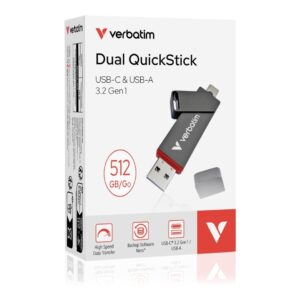
- External drives for backup
- Larger-capacity drives for business files and media
Motherboard
The motherboard connects the processor, RAM, storage, graphics card and other components. Compatibility is crucial. The CPU socket, RAM type, storage interfaces and expansion slots must all match your build or upgrade plan.
Graphics Card
A graphics card handles visual output. Basic office computers can often rely on integrated graphics, while gaming, video editing, 3D work and design applications may require a dedicated GPU.
Power Supply
The power supply provides electricity to all components. A poor-quality or underpowered unit can cause instability. Always choose a power supply that matches the system’s requirements.
Cooling Components
Cooling helps protect your hardware from heat. Fans, coolers and proper airflow keep systems stable, especially in warmer South African conditions or high-performance setups.
External Computer Hardware Components
Monitors
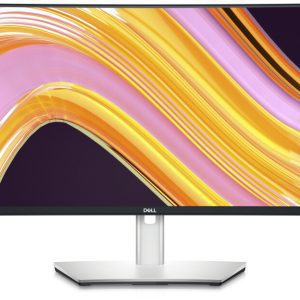
A quality monitor improves comfort, productivity and visual clarity. Office users may prioritise screen size and eye comfort, while gamers and designers may focus on refresh rate, resolution and colour accuracy.
Consider:
- Screen size
- Resolution
- Panel type
- Refresh rate
- Connectivity
- Ergonomics
Keyboards and Mice
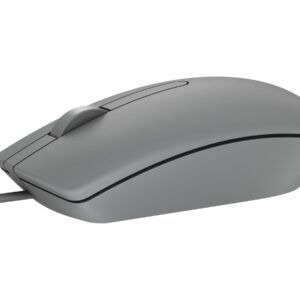
A reliable keyboard and mouse can make daily work far more comfortable. For office setups, durability and comfort matter. For gaming or precision work, responsiveness and custom features may be more important.
Headsets
Headsets are essential for video meetings, online learning, gaming and call-based work. Look for clear audio, a comfortable fit and a reliable microphone.
Printers and Consumables
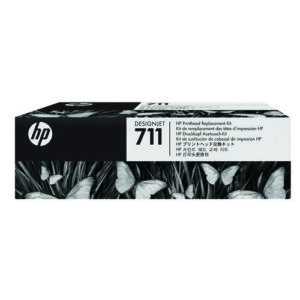
Many homes and offices still depend on printers for invoices, reports, labels, schoolwork and business documents. Toner, ink, ribbons and other consumables should be matched carefully to the printer model.
PC Accessories
Accessories complete the setup. These may include cables, adapters, stands, cleaning products, hubs, storage accessories and power-related products.
Choosing Computer Hardware Components for Home Use
Home users usually need hardware that is reliable, easy to use and cost-effective. A good home setup may include:
- A desktop or laptop
- Monitor
- Keyboard and mouse
- Headset
- Printer
- External storage
- Basic accessories
For families, students and remote workers, durability and compatibility are especially important.
Choosing Computer Hardware Components for Office Use
Office environments need hardware that supports productivity and consistency. Businesses should prioritise:
- Reliable desktops or laptops
- Comfortable monitors
- Quality keyboards and mice
- Headsets for meetings
- Storage and backup solutions
- Printing consumables
- Replacement accessories
For South African businesses, availability and quick replacement options are also important to reduce downtime.
How to Avoid Buying the Wrong Hardware
Before purchasing, check:
- Your computer model
- Compatibility requirements
- Required ports and connections
- Power requirements
- Warranty details
- Upgrade limitations
- Whether you need internal or external components
Buying based on price alone can lead to poor performance or compatibility problems.
Common Upgrade Priorities
If your computer feels slow, consider these upgrades first:
- Upgrade to an SSD: This often delivers the biggest speed improvement for older systems.
- Add More RAM: Useful if your computer slows down when multiple apps are open.
- Improve Your Monitor: A larger or clearer display improves comfort and productivity.
- Replace Worn Accessories: A new keyboard, mouse or headset can make daily use easier.
- Improve Cooling: Better cooling can help stabilise performance and extend component life.
FAQs About Computer Hardware Components
What are computer hardware components?
Computer hardware components are the physical parts of a computer system, including the processor, RAM, storage drives, motherboard, monitor, keyboard, mouse and accessories.
Which computer hardware components should I upgrade first?
For slow computers, an SSD and additional RAM are often the best first upgrades. For comfort and productivity, consider upgrading your monitor, keyboard and mouse.
What is the difference between hardware and software?
Hardware refers to physical computer parts. Software refers to programmes, apps and operating systems that run on the hardware.
Do I need a desktop or laptop for office work?
Both can work well. Desktops are often easier to upgrade, while laptops offer portability. The best choice depends on your workspace and daily requirements.
How do I know if a component is compatible with my computer?
Check your computer model, motherboard specifications, ports, power requirements and supported component types before buying.
Are SSDs better than HDDs?
SSDs are much faster than HDDs and are ideal for operating systems and frequently used programmes. HDDs are still useful for large-volume storage.
Why should I buy computer hardware components from Bonolo Online?
We offer a convenient range of computer and electronics products for South African home and office users, helping customers find practical hardware, accessories and consumables for their needs.
Upgrade Your Home or Office Setup with Bonolo Online
If you are looking for reliable computer hardware components in South Africa, Bonolo Online offers a practical selection of products for home users, students, gamers, remote workers and businesses. Whether you need internal storage, monitors, keyboards, mice, headsets, desktops, laptops, accessories or consumables, we make it easier to source the right products for your setup.
Browse our computer and electronics range today and upgrade your system with hardware that supports performance, comfort and productivity.